Salesforce Invoicing: How to Create and Manage Invoices
Your sales team closes a deal in Salesforce. The opportunity is marked as won, the customer is ready, and the next step should be simple. Create the invoice, send it, track payment, and follow up if payment becomes overdue.
In many companies, that is where the process breaks. Salesforce holds the customer, quote, opportunity, and order data, but the invoice is created somewhere else. Finance copies data into an accounting tool, checks line items manually, sends the PDF, and later tracks payment status in another system.
Salesforce invoicing can close that gap, but only if you understand what Salesforce offers natively, what requires Salesforce Billing or Revenue Cloud, and where additional invoice automation is needed. This guide explains how invoicing works in Salesforce, what to prepare before setup, and when a Salesforce invoicing app makes sense.
FAQ: Salesforce Invoicing
Can you create invoices in Salesforce?
Yes, but full invoice generation usually requires Salesforce Billing, Revenue Cloud, a custom setup, or an AppExchange solution. The Sales and Service Cloud can manage quotes, opportunities, accounts, and orders, but invoice creation and lifecycle management are not always included in a basic Sales Cloud setup.
Does Revenue Cloud Billing (formerly Salesforce Billing) generate invoices?
Yes. Salesforce Billing can generate invoices from orders and billing schedules, depending on your license, configuration, products, billing rules, and invoice schedule setup.
Can Salesforce send invoice PDFs automatically?
Salesforce can generate and send invoice documents with the right billing and document generation setup, often using Salesforce Billing, templates, Flow, API, or related configuration. The exact setup depends on your Salesforce environment.
Does Salesforce include dunning and payment reminders?
Salesforce Billing covers invoice generation, but many teams need additional setup for payment reminders, dunning workflows, accounts receivable reporting, and payment reconciliation.
Can You Create Invoices in Salesforce?
Yes, Salesforce can support invoicing, but the answer depends on what you mean by “create invoices.”
If you only need to store invoice information, you can model invoice records with standard or custom objects. If you need invoice generation from orders, billing schedules, tax rules, and invoice PDFs, you usually look at Salesforce Billing or Revenue Cloud. If you need the full invoice lifecycle, including reminders, receivables reporting, and reconciliation, you may need additional configuration or an AppExchange app.
That distinction matters because many teams assume Salesforce invoicing is a single feature. In practice, invoicing is a process. It starts with quote, opportunity, order, or project data and continues through invoice generation, delivery, payment tracking, reminders, reporting, and accounting handoff.
How Salesforce Invoice Generation Works
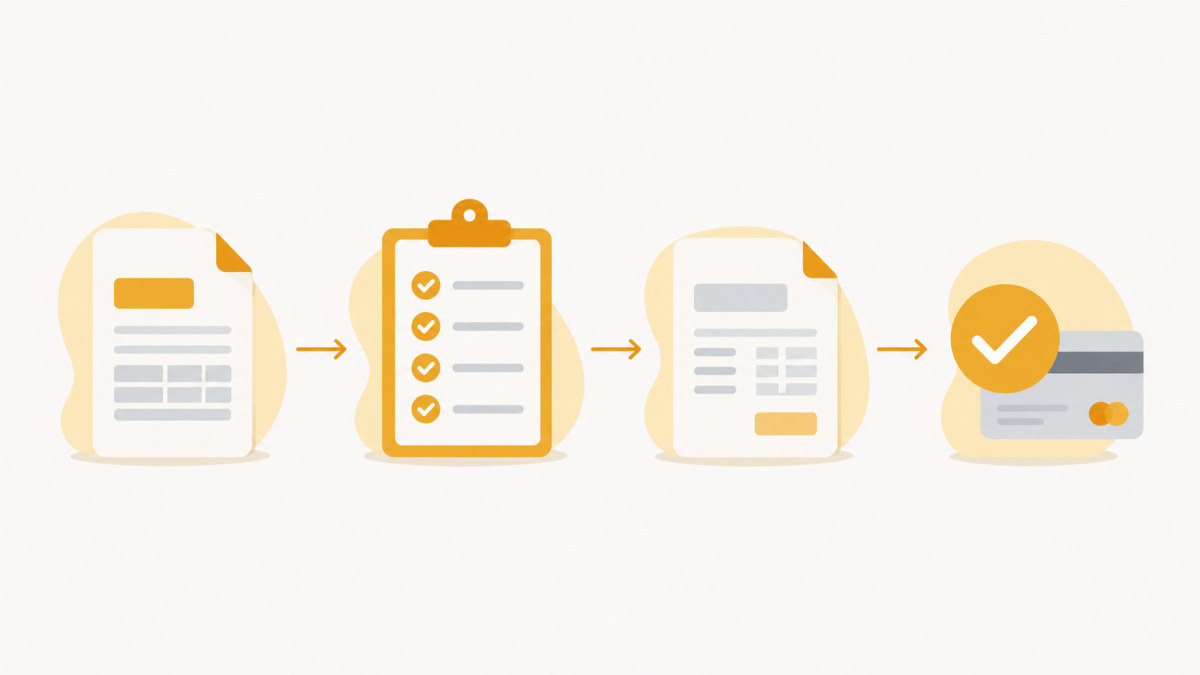
In a typical Salesforce Billing setup, invoices are generated from order and billing data. A quote or opportunity becomes an order. The order contains products, prices, customer details, quantities, dates, and billing terms. Billing schedules then define when invoices should be created.
A simplified flow looks like this:
- Quote or opportunity becomes an order
- The order is activated for billing
- Billing schedules define invoice timing
- Salesforce generates invoice records
- Invoice documents can be created and sent
- Payments and follow-up are tracked separately
This is where Salesforce can be strong. Customer data, product data, and sales data already live in the CRM. When invoice generation is connected to those records, finance does not need to retype customer names, addresses, line items, or amounts into a separate tool.
The challenge is that invoice generation is only one part of the process.
 X
X
What You Need Before Creating Invoices in Salesforce
Before setting up Salesforce invoicing, clarify the process first. Otherwise, teams often configure the tool around unclear billing logic and fix the gaps later.
Start with these questions:
- Where should invoices start? Opportunities, quotes, orders, contracts, projects, time entries, subscriptions, or milestones?
- What invoice types do you need? One-time, recurring, milestone, usage-based, credit notes, or partial invoices?
- Who reviews invoices before sending?
- Which data must be correct? Tax information, billing address, VAT ID, payment terms, line items, discounts, and legal entity data all matter.
- What happens after the invoice is sent? Who tracks payments, follows up on overdue invoices, and reports open receivables?
Where Native Salesforce Billing Stops
Salesforce Billing can cover important parts of invoice generation, especially when billing is connected to orders, schedules, and revenue processes. For companies with complex quote-to-cash needs, it can be the right foundation.
But many teams need more than invoice creation. The practical invoice lifecycle often includes:
- Invoice creation
- Invoice PDF generation
- Invoice delivery
- Payment tracking
- Payment reminders
- Dunning
- Accounts receivable reporting
- Payment reconciliation
- Accounting handoff
This is where gaps often appear. A team may generate invoices in Salesforce, but still send reminders manually. Or they may track invoice status in Salesforce, but reconcile payments in a separate banking or accounting system. Or they may have invoice records, but no clear aging view for overdue receivables.
The result is a process that starts in Salesforce but still depends on manual follow-up outside Salesforce.
Salesforce Invoice Setup Checklist
Before choosing a Salesforce invoicing setup, use this checklist.
- Do invoices start from opportunities, orders, contracts, projects, or time entries?
- Do you need one-time, recurring, milestone, or usage-based invoices?
- Which fields must appear on every invoice?
- Who checks invoice data before sending?
- Do invoices need different templates by country, language, customer type, or legal entity?
- How are overdue invoices followed up today?
- Do you need automated dunning or only manual reminders?
- Where should payment status be visible?
- Do payments need to be reconciled against invoice records?
- Which accounting system needs invoice or payment data?
- Who owns the process after go-live?
Use the checklist to separate invoice generation from invoice management. If you only need basic invoice generation, Salesforce Billing or a custom setup may be enough. If your real problem is follow-up, receivables visibility, dunning, or reconciliation, evaluate the full invoice lifecycle instead of only the invoice PDF.
When Invoice Automation in Salesforce Makes Sense
Invoice automation becomes worth evaluating when invoice work is repetitive, time-sensitive, or error-prone.
A simple signal is monthly effort. If your team creates 20 invoices per month and each invoice cycle takes 60 to 120 minutes across creation, checking, sending, follow-up, and reporting, you are already spending 20 to 40 hours per month on invoice operations.
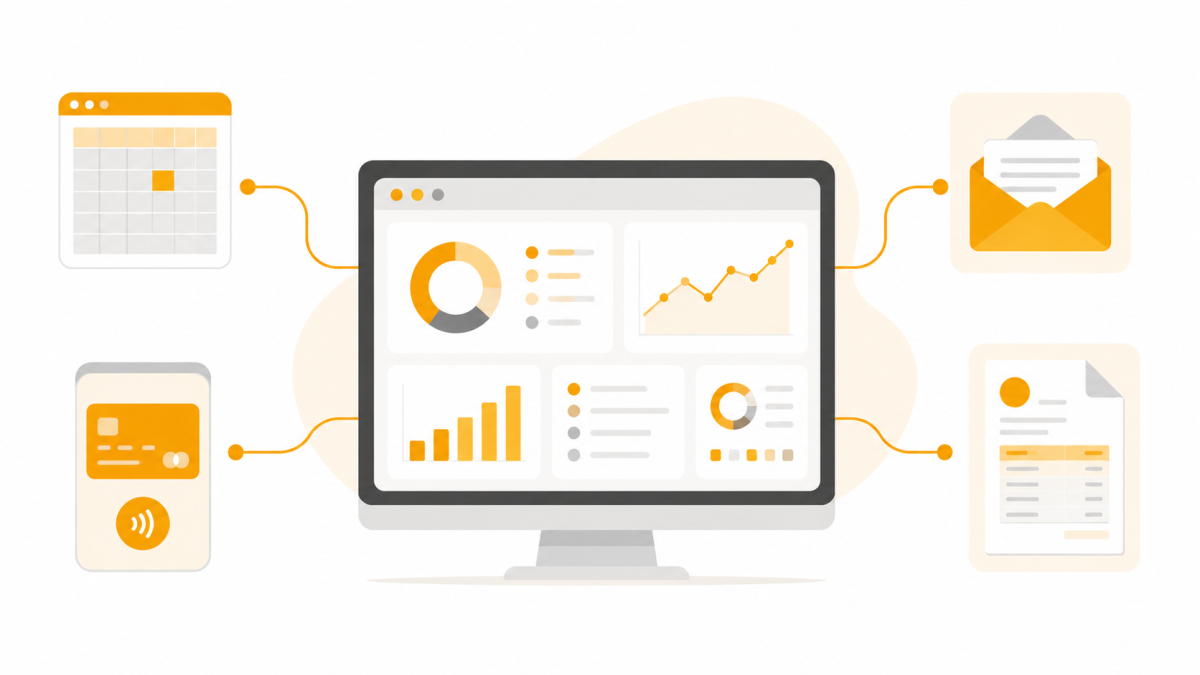
The bigger issue is often not the first invoice. It is everything that happens later. A customer asks for a copy. A payment is late. Sales wants to know whether the invoice was sent. Finance needs an aging report. Someone checks the bank account and manually updates the invoice status.
If those steps happen in separate tools, Salesforce no longer shows the full customer or revenue picture.
 X
X
Where EasyFlow Invoices Fits
EasyFlow Invoices is built for teams that want to manage more of the invoice lifecycle directly in Salesforce.
Instead of treating invoice creation as a separate finance task outside the CRM, EasyFlow keeps invoice records, customer data, reminders, and receivables visibility closer to the Salesforce process. It is especially relevant when teams want to reduce context switching between Salesforce, accounting tools, spreadsheets, and manual reminder workflows.
EasyFlow can support invoice creation, invoice management, dunning, and receivables visibility inside Salesforce. Depending on the setup, it can also connect with related cloudworx apps for project-based billing or payment reconciliation.
The point is not to replace every finance system. The point is to keep operational invoice work visible where sales, service, project, and finance teams already work.
Conclusion: Salesforce Invoicing Without the Gaps
Salesforce invoicing is not just about creating a PDF. The real question is how much of the invoice lifecycle should happen in Salesforce.
If your team only needs invoice generation from orders, Salesforce Billing may be enough. If your team also needs reminders, receivables reporting, reconciliation, and less manual follow-up, it is worth evaluating a Salesforce-native invoicing app.
If you want to see whether EasyFlow Invoices fits your Salesforce invoice process, book a free live demo with our expert to see the tool in action.